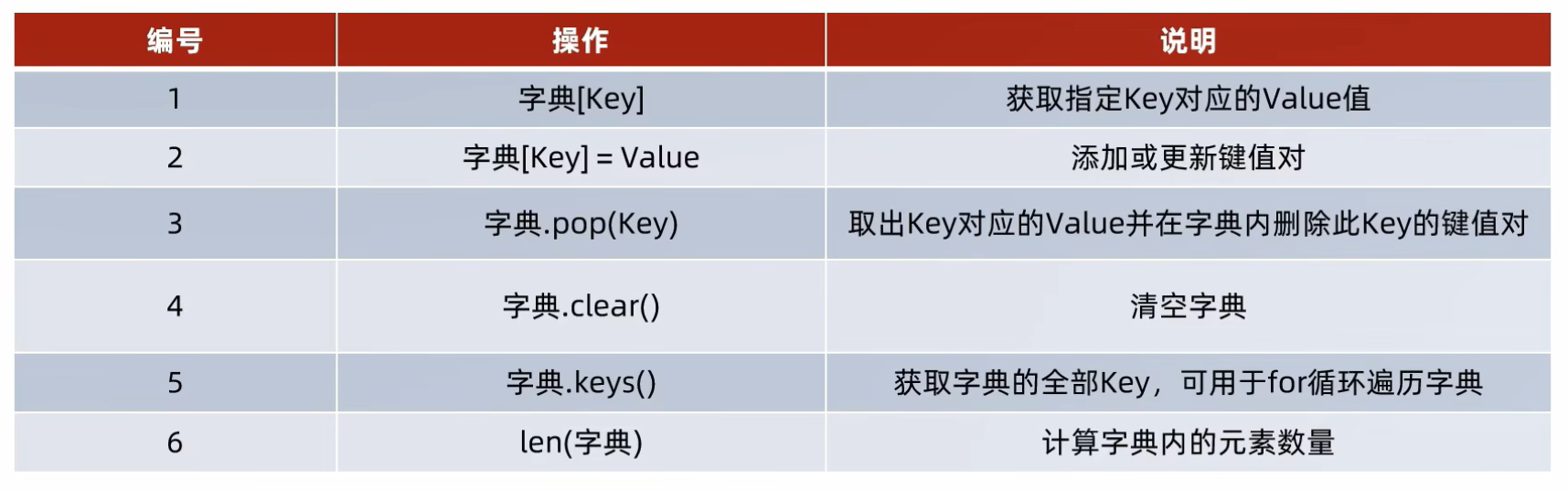
Dictionary 字典 (dict)
Properties of dictionary:
- It dont have index, but it has key.
- The key can be str, int or any type (Except, list, dict, set)
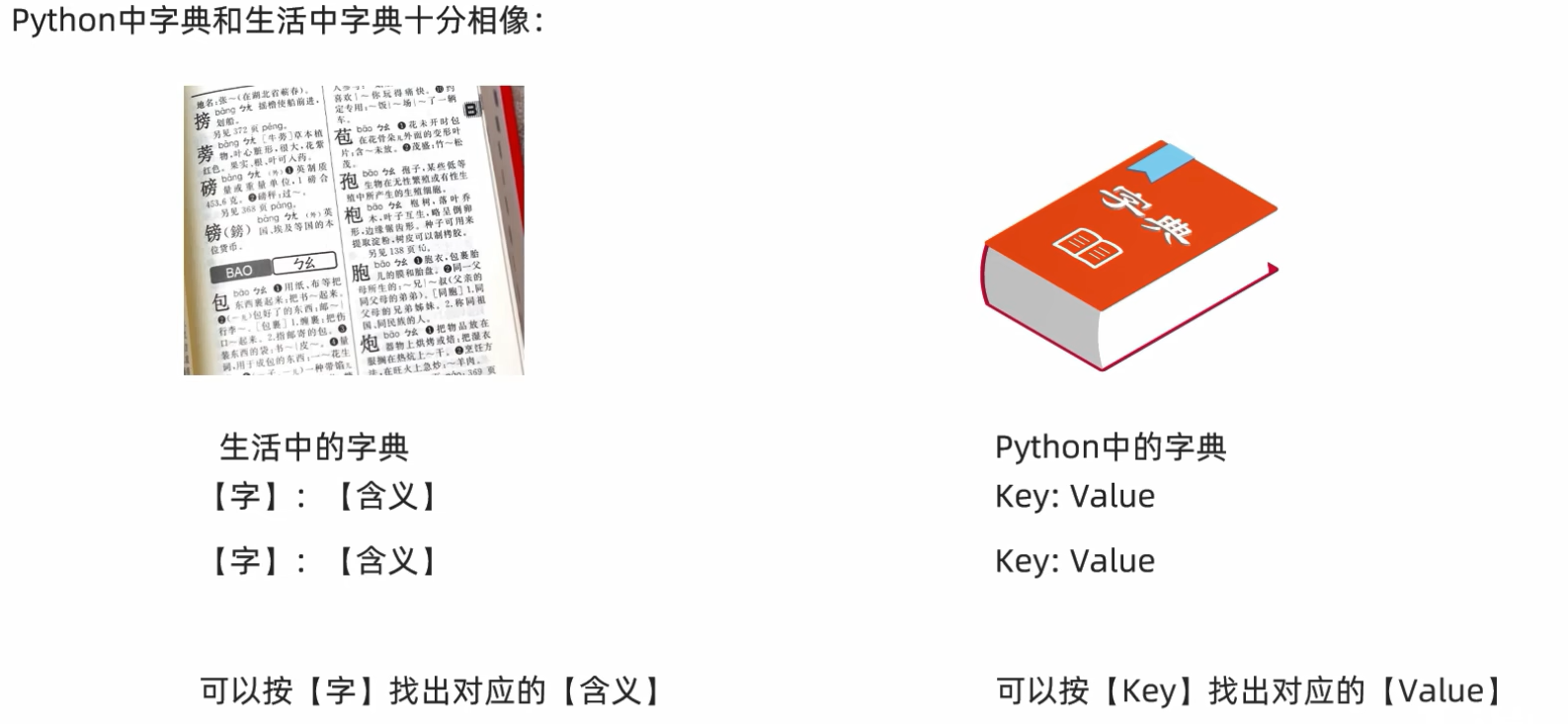
- An dictionary will have the
word(Python: key), and with itsmeaning(Python: value).
- Example of usage - A results table
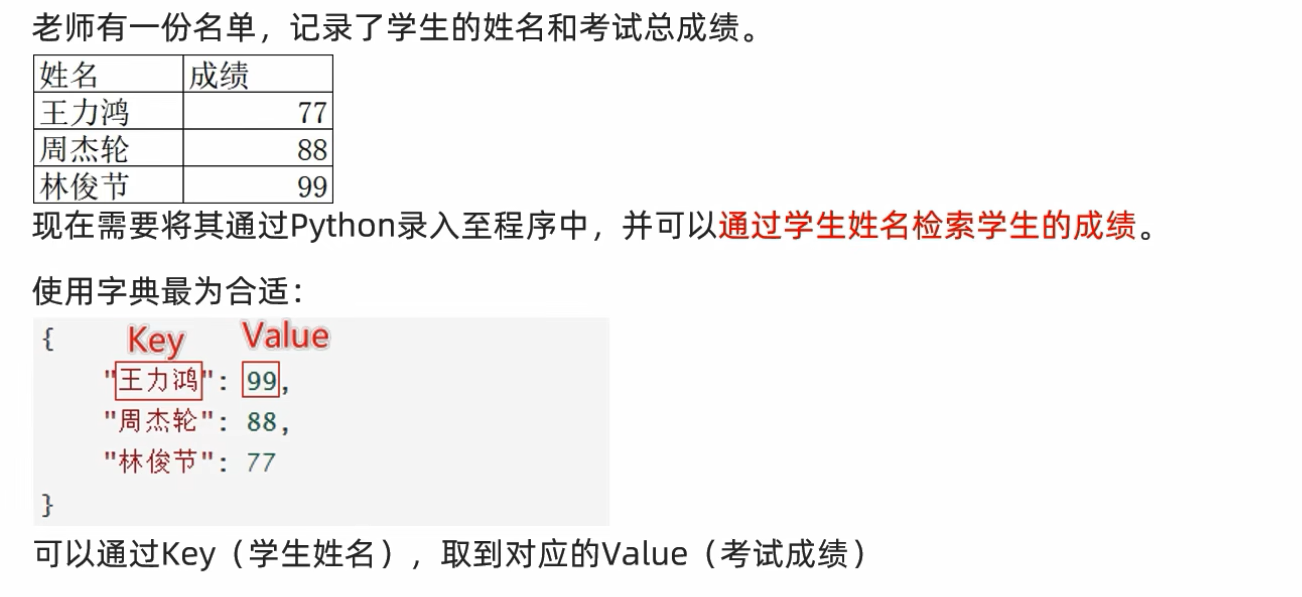
Usage
Define an empty dictionary / Print it
dict.py
py
# Define a empty dict

empty_dict_1 = dict()
empty_dict_2 = {}

print(type(empty_dict_1))
print(type(empty_dict_2))

print(empty_dict_1)
print(empty_dict_2)
Output:
<class 'dict'>
<class 'dict'>
{}
{}
Note
{} will returning type of "<class 'dict'>" instead of "<class 'set'>" is because if we print empty set directly (from set.clear()) it will print set() instead of {}.
Define an dictionary
py
# Define a dictionary {Key: value}

student_marks = {
    "John": 32,
    "Ben": 66,
    "John": 70, # Repeated data
    "Ali": 89
}

print(student_marks)
Output:
{'John': 70, 'Ben': 66, 'Ali': 89}Note
- The
repeated datain a dictionary willreplace by itself (latest data)
Get element from a dictionary
py
# Get element from a dictionary
print(student_marks["Ali"])
print(student_marks["Ben"])
print(student_marks["John"])
Output:
89
66
70
Nested dictionary
Example usage scenario: A group of student exam results slip with 3 Subjects
| Name | Chinese | English | Math |
|---|---|---|---|
| Ali | 50 | 70 | 40 |
| Kai | 85 | 80 | 90 |
| Elen | 60 | 90 | 70 |
py
# Nested Dictionary

students_results_slip: dict[str, dict[str, int]]  = {
    "Ali": {
        "Chinese": 30,
        "English": 70,
        "Math": 40
    },
    "Kai": {
        "Chinese": 85,
        "English": 80,
        "Math": 90
    },
    "Elen": {
        "Chinese": 60,
        "English": 90,
        "Math": 70
    },
}

print(students_results_slip)

print(f"Results: Math for Kai is {students_results_slip['Kai']['Math']}")

print("Name Chinese English Math")
for students in students_results_slip:
    print(f"{students} - {students_results_slip[students]["Chinese"]} - {students_results_slip[students]["English"]} - {students_results_slip[students]["Math"]} ")
Output:
{'Ali': {'Chinese': 30, 'English': 70, 'Math': 40}, 'Kai': {'Chinese': 85, 'English': 80, 'Math': 90}, 'Elen': {'Chinese': 60, 'English': 90, 'Math': 70}}
Results: Math for Kai is 90
Name Chinese English Math
Ali - 30 - 70 - 40
Kai - 85 - 80 - 90
Elen - 60 - 90 - 70
Add an new element into dict
py
# Add an new element to a dict
friend_hp_no = {
    "John": 601222222222,
    "Ben": 6012333334455,
    "Kai": 60000000000001
}

# add new hp no.
friend_hp_no["Jenny"] = 6012456789
print(friend_hp_no)
Output:
{'John': 601222222222, 'Ben': 6012333334455, 'Kai': 60000000000001, 'Jenny': 6012456789}Update an new element from dict
- Same as the way of adding an new elements to dict.
- Since dict doesn't have index, so elements will be replaced.
py
# Update Hp no.
friend_hp_no["Kai"] = 601111111111
print(friend_hp_no)
Output:
{'John': 601222222222, 'Ben': 6012333334455, 'Kai': 601111111111, 'Jenny': 6012456789}Delete an new element from dict
py
# Delete an element from dict
apple_price = {
    "Green Apple": 1.00,
    "Yellow-Green Apple": 1.50,
    "Red Apple": 2.00,
    "Rotten Apple": 0.00
}

# Remove Rotten Apple
apple_price.pop("Rotten Apple")
print(apple_price)
Output:
{'Green Apple': 1.0, 'Yellow-Green Apple': 1.5, 'Red Apple': 2.0}Clear the dict
py
# Clear the dict
apple_price.clear()
print(apple_price)
Output:
{}Get all of the key on dict
py
album_released_year = {
    "100 Ways of Living": 2008,
    "Seven Days": 2009,
    "Slow Soul": 2011,
    "Guitar": 2012,
    "What a Folk !!!!!!": 2016
}

# Get all the keys from dict
keys = album_released_year.keys()
print(keys)
Output:
dict_keys(['100 Ways of Living', 'Seven Days', 'Slow Soul', 'Guitar', 'What a Folk !!!!!!'])Iterating over a dict
py
# Iterating over a dict
for key in keys:
    print(f"{key} is released on {album_released_year[key]}")
Output:
100 Ways of Living is released on 2008
Seven Days is released on 2009
Slow Soul is released on 2011
Guitar is released on 2012
What a Folk !!!!!! is released on 2016
Another method of getting key (Directly from dict), ref code of Nested Dictionary.
Get the count of element on dict
py
# Get the count of elements in dict
print(len(album_released_year))
Output:
5Conclusion