
Usage of the class
The way of using class in python
1. Define / using a class
Define a class
class class_name:

    # Properties of class

# Behaviour of class| Item | Description |
|---|---|
class_name | Name of the class. It cant be the keyword of python |
Properties of class | Variable in a class (attributes / data) |
Behaviour of class | Function in a class (method) |
Using a class / Create a class for a variable
object_name = name_of_class()Overall usage
class name_of_class:
    properties = None

    def method():
        return None

obj_name = name_of_class()

obj_name.properties = "x"

obj_name.method()
2. Define a parameters for a method
class Example:
    var1 = None

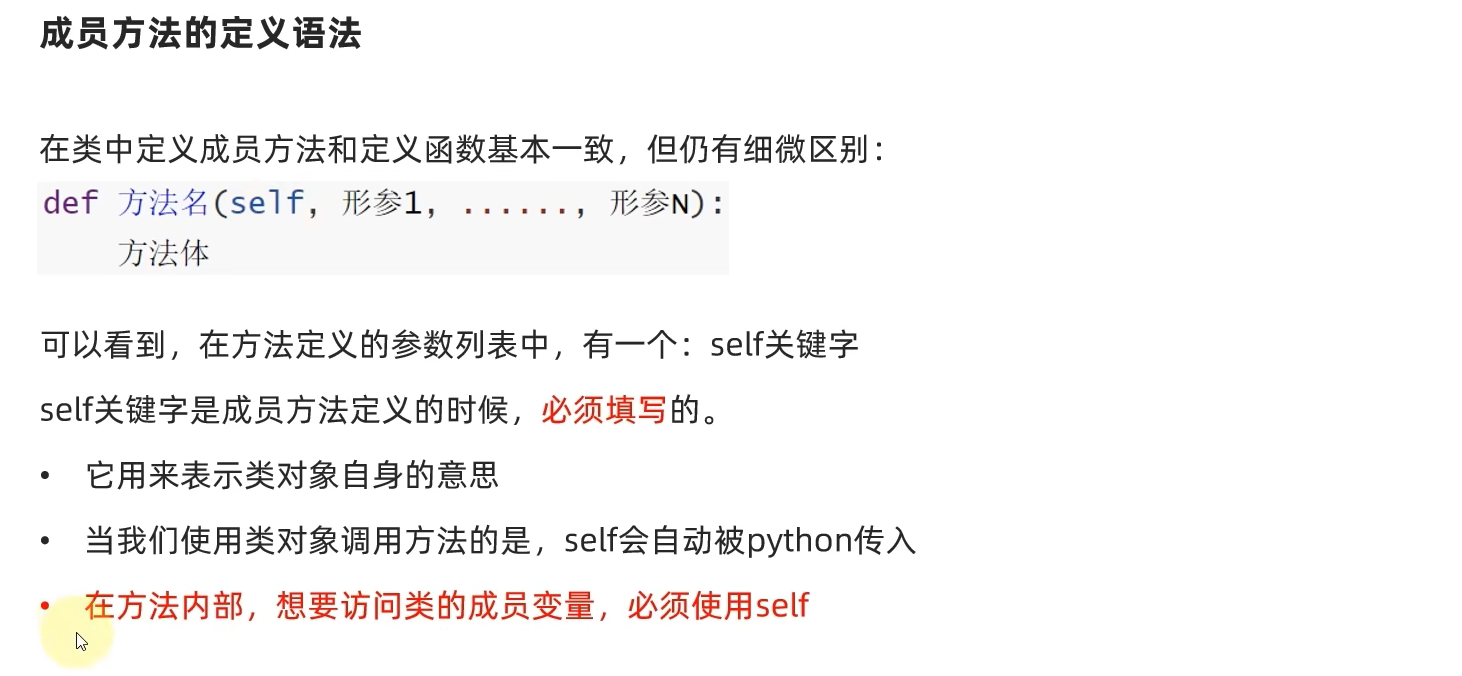
    def method(self, params1, ..., paramsN):
        ...
INFO
- For a method of a class, It parameters always start from
selfkeywords.
It's Important and always required to fill in because of:
selfkeywords means the class itself.- Use to receive
variableinside of aclass
When we
using a method of classtheselfparameter will automatically fill in by python.
Example usage
using-a-class.py
class Students:
    name = None

    def print_name(self, album_name):
        print(f"My name is {self.name}. My favourite albums is {album_name}")

std1 = Students()

std1.name = "Ben"
std1.print_name("7 days - Crowd Lu")
Output:
My name is Ben. My favourite albums is 7 days - Crowd Lu3. Constructor of a class
In a normal way of define a variable of a class, is by using obj.var1 = value.
BUT, what happened if we have multiple properties / variable required us to define ? Of course, it's possible for us to define a variable one-by-one by using obj.var1 = value. But it could make our code become harder to read or maintainance.
So, it's there possible to define a variable same as the way we define the variable just like the way we define the arguments of a function ? Yes, is it.
By using a constructor method, which is (__init__() method).
constructor-method-class.py
class Students:
    name = None
    age = None
    address = None

    # Constructor method
    def __init__(self, name, age, address):
        self.name = name
        self.age = age
        self.address = address

    def introduce(self):
        print(f"My name is {self.name} and I'm {self.age} years old. I live in {self.address}")

students_1 = Students("John", 12, "LA")
students_1.introduce()

class Students_2:
    # Without attributes

    # Constructor method
    def __init__(self, name, age, address):
        self.name = name
        self.age = age
        self.address = address

    def introduce(self):
        print(f"My name is {self.name} and I'm {self.age} years old. I live in {self.address}")

students_1 = Students_2("Ben", 15, "UK")
students_1.introduce()
Output:
My name is John and I'm 12 years old. I live in LA
My name is Ben and I'm 15 years old. I live in UK
INFO
- If the
__init__()constructor method exists in a class, then the class variables can be created without rewriting them again. selfmust always be a first parameters of__init__()__init__()constructor method will run automatically
4. Magic / dunder methods of a class
__init__()is an example of magic methods of a class.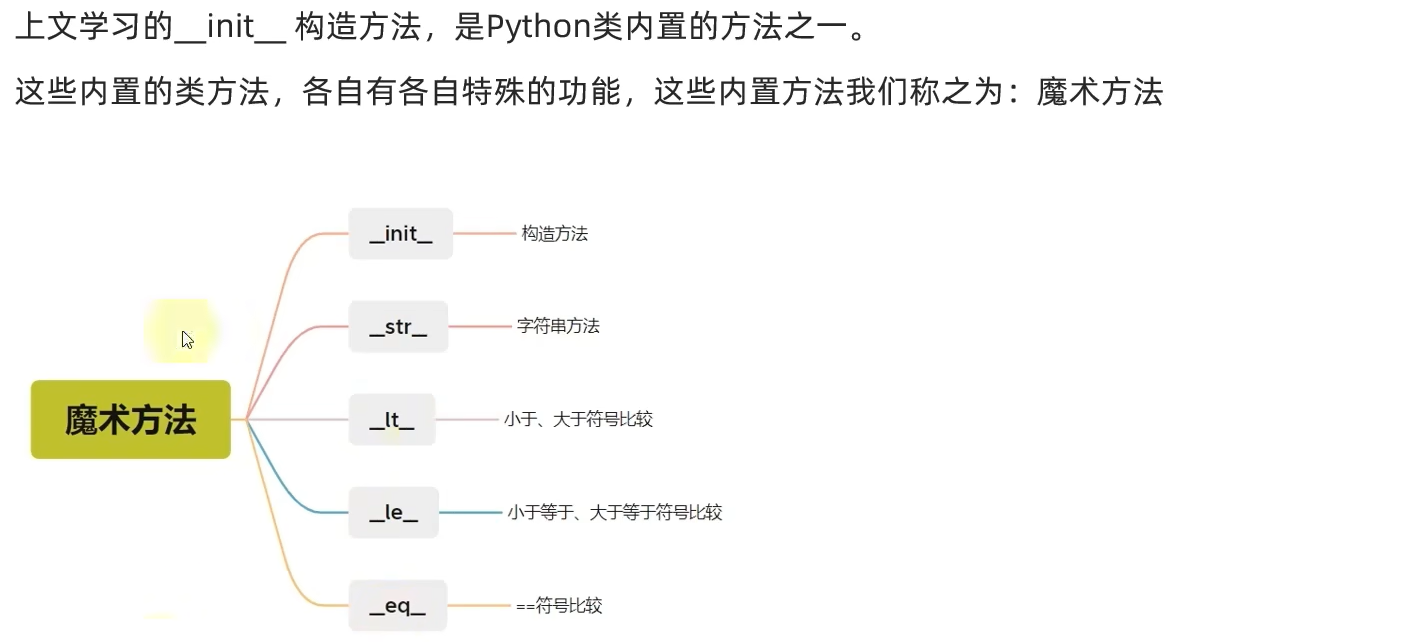
a. __str__
When we print class directly we can get it memory address. However memory address wasn't that useful for us, So by using __str__ magic methods we can change it's behaviour by returning another string results.
class-magic-str.py
# Normal class
class Students:
    name = None

std1 = Students()
std1.name = "Lex"
print(std1)
print(str(std1))

# class with __str__()

class Students2:
    name = None

    def __str__(self):
        return f"Students name is {self.name}"

std2 = Students2()
std2.name = "Ben"
print(std2) # No longer memory address
Output:
<__main__.Students object at 0x000001FF3E5C86E0>
<__main__.Students object at 0x000001FF3E5C86E0>
Students name is Ben
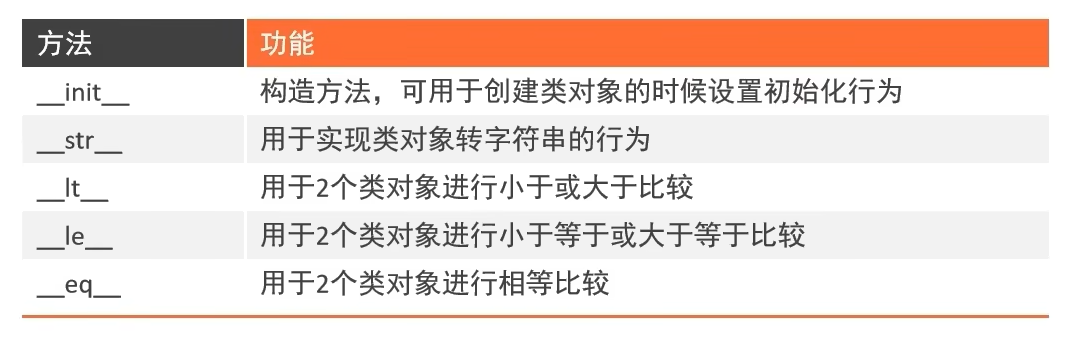
b. __lt__, __le__, __eq__, __ge__, __gt__
| Name | Description |
|---|---|
__lt__ | lower than |
__le__ | lower or equal than |
__eq__ | equal (By default == will comapre the memory address of the class, if __eq__ is not defined.) |
__gt__ | greater than |
__ge__ | greater or equal than |
INFO
For
__lt__,__le__,__ge__,__gt__magic methods is not defined. It will getTypeError.Example: ('<' not supported between instance of "xClass" and "xClass")

It's basically same meaning as the comparision operator, <, <=, ==. But with this magic function allow us to compare between 2 SAME class.
compare-magic-method-class.py
class Clock:

    def __init__(self, price, brand = "Delta"):
        self.brand = brand
        self.price = price

    # Lower than
    def __lt__(self, other):
        return self.price < other.price

    # Lower or equal than
    def __le__(self, other):
        return self.price <= other.price

    # Equal than
    def __eq__(self, other):
        return self.price == other.price

    # Greater than
    def __gt__(self, other):
        return self.price > other.price

    # Greater or equal than
    def __ge__(self, other):
        return self.price >= other.price


# Define obj = class()
c1 = Clock(12.80, brand="Theta")
c2 = Clock(17.80, brand="Lambda")
c3 = Clock(17.80, brand="Beta")

print(c1 > c2) # c1 is lower (False)
print(c2 > c1) # c2 is greater (True)

print(c1 >= c2) # False
print(c2 >= c1) # True

print(c3 == c2) # True

print(c2 >= c1) # True
print(c3 >= c2) # True
Output:
False
True
False
True
True
True
True