
Comparison operator
It's use when we need to compare 2 value and it will return Boolean for results.
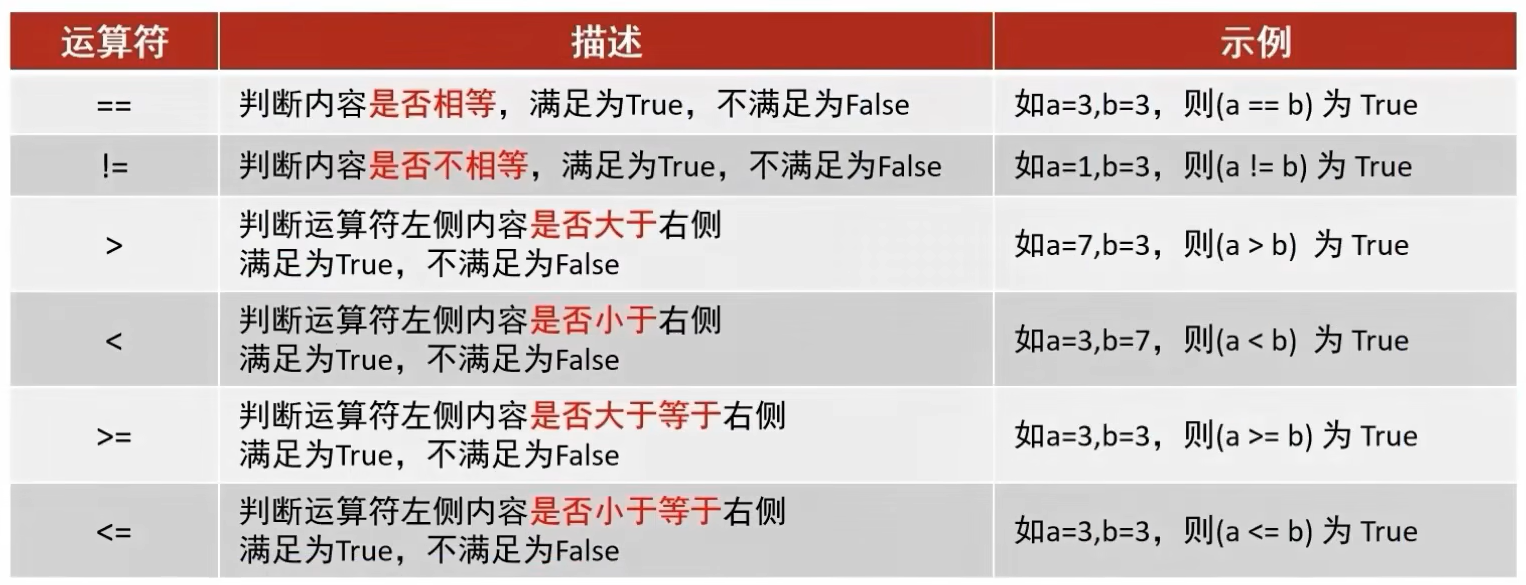
Usage
a >= b- This means
is a larger or equal than busing ">" and "=" to express.
Example
comparison-operator.py
py
number_a = 10
number_b = 50
number_c = 10

print(f"Values: a = {number_a} b = {number_b} c = {number_c} \n")

# compare btw a and b
print(f"Is a larger than b ? : {number_a > number_b}")
print(f"Is a smaller than b ? : {number_a < number_b}")
print(f"Is a equal to b ? : {number_a == number_b}")
print(f"Is a not equal to b ? : {number_a != number_b}")

# compare btw a and c
print(f"Is a equal to c ? : {number_a == number_c}")
print(f"Is a equal or larger than c ? : {number_a >= number_c}")
print(f"Is a equal or smaller than c ? : {number_a <= number_c}")
Results:
Values: a = 10 b = 50 c = 10

Is a larger than b ? : False
Is a smaller than b ? : True
Is a equal to b ? : False
Is a not equal to b ? : True
Is a equal to c ? : True
Is a equal or larger than c ? : True
Is a equal or smaller than c ? : True
Extra: Comparism between String
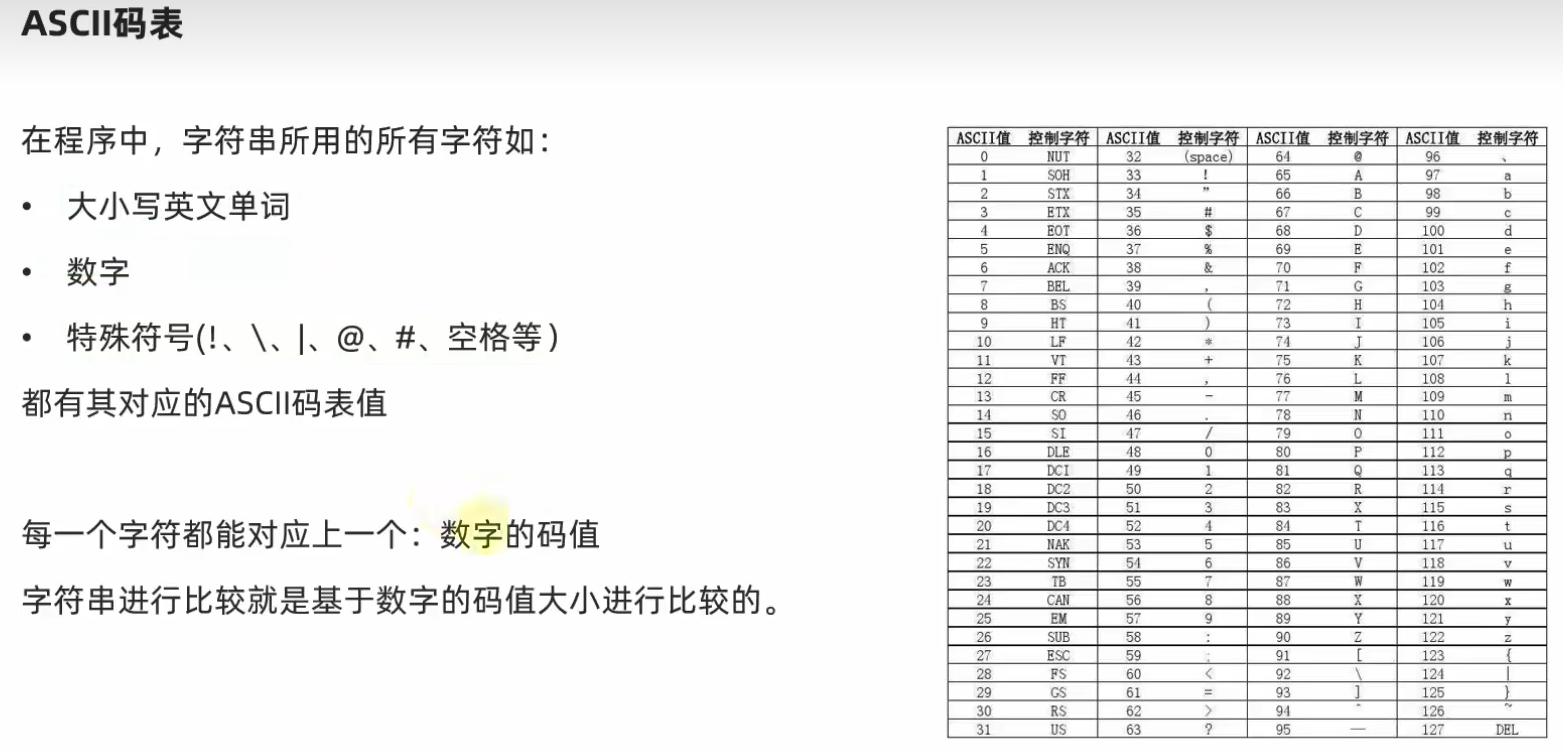
- The comparism of string is based on the ASCII, each of the words/number/symbol has their according ASCII number in int.
- Example: A < a as (A = 65), (a = 97) in ASCII.
ascii-comparism.py
py
print("abc" < "abd") # True

print("key1" > "key") # True

print("Key1" > "key1") # False

print("key1" < "key2") # True
# 2: ASCII = 50 , 1: ASCII = 49
Output:
True
True
False
True